
Identify Your Silverado’s Key System Before You Try to Program It
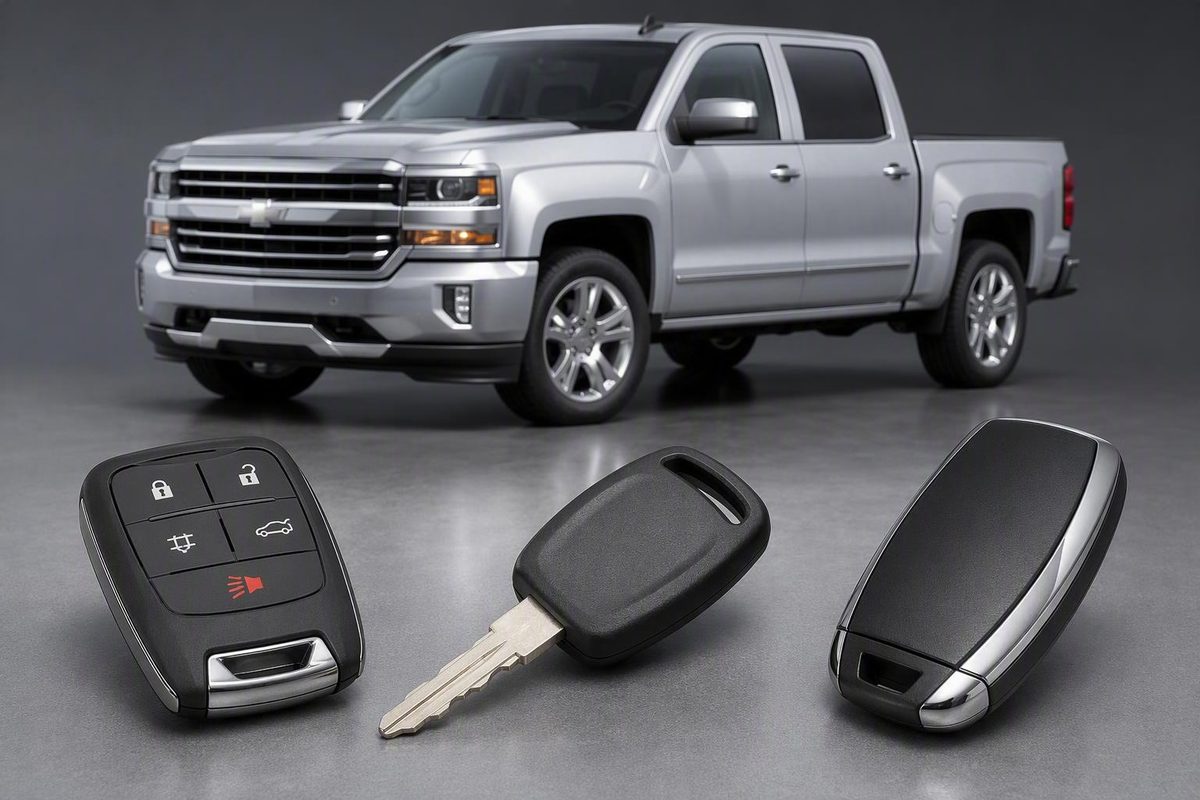
Distinguish remote, transponder and proximity systems, then use the matching DIY steps, compatibility checks and clear stop points.
You may be able to program a Chevy Silverado key fob yourself, but there is no universal procedure. The correct path depends on the truck’s model year, ignition type, keyless-entry equipment, replacement device, and whether a recognized key or fob remains. First determine whether you need to pair remote buttons, authorize a transponder ignition key, or program a proximity fob. Use a procedure only when it is documented for that specific system.
The two sequences below are narrow, user-reported examples rather than verified Chevrolet service instructions. Confirm the method in the owner documentation for your exact Silverado before attempting either one.
Choose the correct programming path first
“Key-fob programming” can describe three different tasks:
- Remote-button pairing teaches the truck to respond to functions such as Lock, Unlock, and Panic.
- Transponder-key authorization teaches the anti-theft system to recognize the chip in a traditional ignition key.
- Proximity-fob authorization enables passive entry and push-button starting.
Completing one task does not necessarily complete another. A remote can operate the door locks while its ignition transponder remains unauthorized.
| Device or symptom | What needs programming | Applicable route | Next action |
|---|---|---|---|
| Separate remote for a compatible 2000 Silverado 2500 | Remote buttons | Narrow owner-reported example below | Confirm keyless-entry equipment and identifiers before trying it |
| New ignition key for a keyed 2016 truck with a recognized key | Transponder | Narrow forum quotation below | Verify the procedure in the exact model-year manual |
| Push-button-start proximity fob | Entry and starting authorization | Vehicle-specific method required | Consult the exact manual or qualified service provider |
| No recognized key or fob remains | Security authorization | No supported procedure provided here | Contact an automotive locksmith or Chevrolet dealer |
| Buttons work, but the key will not start the truck | Transponder | Remote pairing is not the solution | Check chip compatibility and immobilizer recognition |
A metal ignition key does not prove that a Silverado supports the older remote-pairing sequence. Requirements vary with the model year, trim, equipment, ignition design, device type, and working-key status. The available sources do not provide a complete compatibility chart covering every Silverado configuration. A locksmith’s general overview also distinguishes remote pairing, transponder authorization, and smart-fob programming as separate processes (overview of Chevrolet key-programming differences).
Check the replacement before programming
Record the following before cycling the ignition or entering any learning mode:
- Silverado model year and duty class
- Trim or keyless-entry configuration
- Traditional keyed ignition or push-button start
- Number of keys or fobs currently recognized
- Replacement part number and FCC ID
- Transponder chip type, if applicable
- Transmitter frequency, where listed
- New or used condition
Identify the device itself. A remote-only transmitter controls functions such as Lock and Unlock but does not replace an ignition transponder. A transponder key contains the chip used for starting authorization, whether or not buttons are built into the key head. A proximity fob communicates with a passive-entry and push-button-start system.
Do not rely on the case shape, button arrangement, or a blade that physically fits the ignition. Confirm VIN fitment and match the FCC ID, part number, chip type, and frequency where applicable. If the device is used, verify that the exact fob type is reusable with your truck; used-fob eligibility is not universal.
Install the correct battery in the replacement fob and confirm that the truck’s battery is not weak. A weak fob battery or low vehicle voltage can contribute to programming failure.
Gather every key and remote you want to retain before beginning. Some learning procedures may erase stored fobs or require retained devices to be enrolled during the same session. Do not risk an uncertain procedure when your only recognized key is already unreliable.
Older keyed Silverado: reported remote-button pairing steps
This sequence was posted by the owner of a 2000 Chevrolet Silverado 2500 with keyless-entry equipment. It is not verified Chevrolet service documentation and should not be treated as a procedure for all 1999–2006 trucks, every keyed Silverado, or any push-button-start model.
The sequence pairs remote-control buttons only. It does not authorize an ignition transponder.
The owner reported using the following procedure on that particular truck (2000 Silverado 2500 remote-pairing report):
- Close all doors.
- Insert the ignition key into the ignition cylinder.
- Press and hold the driver-door Unlock switch.
- While holding Unlock, cycle the ignition On–Off–On–Off without starting the engine.
- Release the Unlock switch.
- Wait for the doors to lock and unlock. In this account, that first cycle indicated that programming mode had started.
- Press and hold Lock and Unlock together on the remote for approximately 15 seconds.
- Wait for a second lock-and-unlock cycle, which reportedly indicated that the transmitter had been accepted.
- Repeat the Lock-and-Unlock enrollment step for each intended transmitter.
- Turn the ignition to Run to exit programming mode.
- Test every enrolled remote.
A Chevrolet dealership publishes a similar On–Off–On–Off procedure and says it can be used for a Silverado, but its guide does not identify a dependable range of compatible model years, trims, ignition systems, or fob part numbers. That generic presentation should not be used to broaden the 2000 owner’s example (dealership’s generic Chevrolet remote sequence).
If the first lock cycle does not occur, stop. In the reported process, no lock cycle means the truck has not entered programming mode.
2016 keyed Silverado: reported recognized-key example
A forum participant quoted a procedure attributed to the 2016 Silverado owner’s manual, but the discussion did not link to independently verifiable Chevrolet documentation. Treat it as an unverified example for a keyed 2016 Silverado, not as a general instruction for other years.
The stated prerequisites are:
- A 2016 Silverado with a traditional keyed ignition
- At least one recognized ignition key
- A compatible, correctly cut replacement transponder key
The reported sequence concerns ignition authorization, not remote-button pairing or push-button-start fobs:
- Insert the recognized key and turn it to On/Run.
- Turn it to Lock/Off and remove it.
- Within five seconds, insert the replacement key.
- Turn the replacement key to On/Run.
- Check the security light. The quoted language says that the light turning off indicates successful programming.
The five-second timing and security-light indication come from text purportedly quoted from the owner’s manual in the forum discussion, not from official documentation supplied with this article (2016 Silverado recognized-key discussion).
A correctly cut metal key may turn the ignition cylinder but still fail to start the engine if its transponder is incompatible or unrecognized. That distinction matters because cutting the blade and authorizing the chip are separate tasks.
The reported procedure failed with the aftermarket B119-chip key used by the truck owner. The owner described a theft warning, but the discussion did not establish the final cause. Suggestions that the chip was defective or that the truck’s learned-key memory was full remained speculation.
Do not adapt this sequence for another model year or for a truck with no recognized key. Those are different security situations and may require a different documented process.
Troubleshoot by the point of failure
Separate failure to enter learning mode from failure to accept the replacement. That prevents repeated ignition cycling from obscuring the actual problem.
| Symptom | What to check | When to stop |
|---|---|---|
| No initial lock cycle on the older keyed example | Closed doors, timing, vehicle voltage, keyless-entry equipment, receiver power and connections | The method cannot be confirmed for the truck |
| Learning mode starts, but no acceptance cycle occurs | Fob battery, FCC ID, part number, frequency, compatibility, used-fob eligibility, button timing | A known-compatible device is repeatedly rejected |
| Key turns but the engine does not start | Transponder type and immobilizer recognition | Security light or theft warning persists |
| Recognized key becomes unreliable | Vehicle voltage, key condition, possible immobilizer fault | Do not risk losing dependable access |
| No crank or repeated theft warning | Stop programming attempts | Obtain vehicle-specific diagnosis |
RCDLR means remote control door lock receiver. In the 2000 Silverado account, the owner eventually found that the RCDLR had been left disconnected after heater-core work. Reconnecting it reportedly restored operation. That was one repair in one owner’s case, not evidence that a disconnected receiver is the usual cause of programming failure.
The same owner described the RCDLR as being behind the instrument cluster near the radio on approximately 1999–2003 Silverados. Treat that as an owner-reported location range and consult service information for the exact truck before removing interior components.
If the truck enters learning mode but never gives the transmitter-acceptance lock cycle, focus on the replacement device. Check battery orientation, electronic identifiers, frequency, chip or transmitter compatibility, used-fob eligibility, and button timing.
If the buttons pair but the key still does not start the engine, troubleshoot transponder authorization separately. Successful remote pairing does not prove that the anti-theft system recognizes the ignition chip.
Stop if the security light remains on, a theft warning persists, the truck will not crank, or a previously recognized key becomes unreliable. Those symptoms call for vehicle-specific diagnosis rather than repeated programming attempts.
When to use the owner’s manual, a locksmith, or a dealer
Use the owner documentation for the Silverado’s exact model year whenever the supported procedure is uncertain. Confirm that the instructions address the truck’s ignition type and the specific task—remote pairing, transponder authorization, or proximity-fob programming.
Qualified assistance is the safer route when:
- The truck has push-button start or a proximity fob and you cannot verify an onboard method.
- No recognized key or fob remains.
- A replacement with matching identifiers is repeatedly rejected.
- A security light, theft warning, no-crank condition, or immobilizer fault persists.
- The remaining recognized key works intermittently.
- You cannot determine whether the learning process will affect stored devices.
This does not mean every newer Silverado requires professional equipment. It means the truck’s exact documentation should decide the method, not its age or the physical appearance of its key.
Before contacting an automotive locksmith or Chevrolet dealer, collect:
- VIN
- Model year and duty class
- Trim or relevant keyless-entry configuration
- Keyed or push-button ignition
- Number of recognized keys and fobs
- Replacement FCC ID and part number
- Chip type and frequency, if known
- Whether the replacement is new or used
- Exact security-light behavior and warning messages
- The step at which the attempt fails
Protecting the remaining recognized key is more important than continuing an uncertain DIY attempt. If the applicable procedure cannot be confirmed or anti-theft symptoms appear, stop and obtain help for the truck’s exact system.